1000 ANSI 4K Android Projector: Dolby Audio & Smart Apps
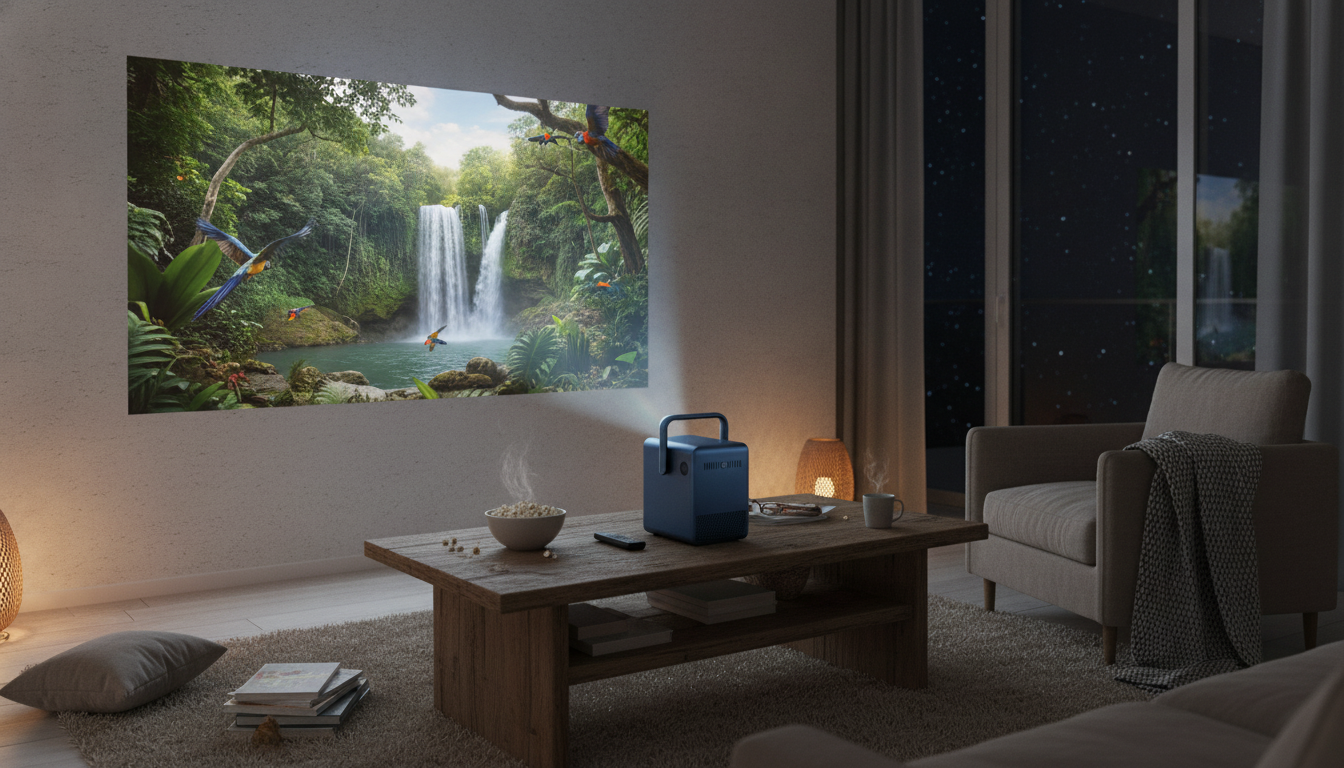
4K Android Projector with 1000 ANSI Lumens, Dolby Audio & Smart Features: A Practical Home-Cinema Upgrade
A bright, smart projector can deliver the “big screen” feeling without committing to a giant TV or a permanent wall mount. This 4K-support projector pairs 1000 ANSI lumens for a more punchy image with Android-based streaming convenience and Dolby Audio support for fuller, clearer sound. The result is a setup that fits real homes—living rooms, bedrooms, and flexible spaces—aimed at easy movie nights, casual gaming, and everyday viewing with less gear and fewer cables.
What This Projector Is Best For
This type of projector shines when you want the freedom of a movable display and the simplicity of built-in streaming—without dropping down to the dim, washed-out look many mini projectors can have.
- Living-room viewing where ambient light is present but can be controlled (curtains, lamps dimmed).
- Bedrooms and apartments where a TV is too large, heavy, or permanent.
- Streaming-first households that want apps and Wi‑Fi features built in.
- Occasional backyard movie nights when paired with a screen and the space is darker.
- Presentations and family photo/video sharing with simple inputs and quick setup.
Picture Quality: 4K Support and Everyday Clarity
4K support is designed to handle high-resolution sources so fine details look cleaner and edges appear more defined than standard HD playback. That matters most when you’re feeding the projector a strong signal—think a modern streaming box, a game console, or a laptop outputting higher-quality video via HDMI.
- For the most consistent image, pair with a quality HDMI source and use a screen or a smooth, light-colored wall.
- For perceived sharpness, keep the projector level and square to the screen; fine-tune focus after a few minutes of warm-up.
- Choose a screen size that fits your viewing distance—bigger can feel more cinematic, but it also demands better light control to keep colors vibrant.
One practical tip: if text and UI elements (like streaming menus) look slightly soft at first, re-check alignment and focus once the unit has been on for a short while. Small changes in angle and distance can make a noticeable difference.
Brightness: What 1000 ANSI Lumens Changes
Brightness is where many projectors feel “make or break.” ANSI lumens is a standardized way to report brightness, making comparisons far more meaningful than inflated marketing numbers. (For a deeper explanation of the measurement, see ProjectorCentral’s overview of lumens and ANSI standards.)
- 1000 ANSI lumens is suited to dim-to-moderately lit rooms and helps preserve color and contrast better than low-output mini projectors.
- Daytime viewing improves dramatically with light control (shades/curtains) and a reflective screen.
- Placement matters: longer projection distance usually means a larger image, which can reduce perceived brightness.
If the room has windows nearby, treating the projector like a “nighttime cinema” device—then using curtains or blinds when you want daytime sports—tends to produce the most satisfying results.
Sound: Dolby Audio Support and Practical Audio Setups
Dolby Audio support can improve the way dialog and effects are processed, helping voices sound clearer and volume feel more balanced. Dolby provides an overview of what this processing is designed to do across devices and content types on its official page: Dolby Audio.
- Built-in speakers are convenient for quick viewing, but external audio is the easiest “wow” upgrade.
- Simple improvements include connecting a soundbar or powered speakers (wired or Bluetooth, if supported).
- For late-night viewing, headphones can reduce room echo and keep volume low for others nearby.
If you do use Bluetooth audio, check for lip-sync alignment. Many soundbars offer an audio delay setting that can bring voices back into sync with on-screen movement.
Smart Features: Android Convenience for Streaming
Android-based smart features are built for app-centric viewing, reducing the need for an external streaming stick in many setups. A stable home network is the difference between “plug-and-play” and constant buffering, so Wi‑Fi strength and router placement matter more than most people expect.
For general help with app updates and device basics, Google’s support hub is a useful reference: Android TV Help.
Connectivity and Sources: How to Plug Everything In
Setup Tips: Placement, Screen Choice, and Room Control
Key Specs at a Glance
| Feature | What to Look For | This Model |
|---|---|---|
| Brightness | ANSI lumen rating for meaningful comparisons | 1000 ANSI lumens |
| Resolution support | Ability to handle 4K sources for sharper detail | 4K support |
| Smart platform | Built-in apps and Wi‑Fi convenience | Android smart features |
| Audio | Clearer dialog and richer processing support | Dolby Audio support |
| Best-use environment | Light control improves contrast and color | Dim to moderately lit rooms |
Who Should Consider It (and Who Shouldn’t)
In-Stock Picks
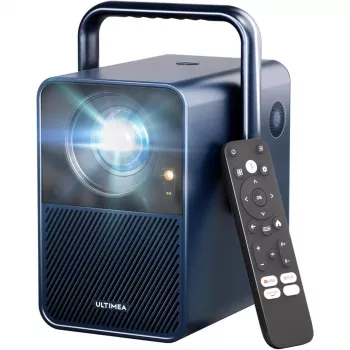
- 4K Android Projector with 1000 ANSI Lumens, Dolby Audio & Smart Features
- Cozy Velvet Winter Pajama Set for Boys
- Calvin Klein Women’s White Leather Sneakers
Care, Longevity, and Everyday Maintenance
FAQ
Is 1000 ANSI lumens bright enough for a living room?
It’s a strong choice for evening viewing and for living rooms where you can dim lamps or close curtains. For daytime use, adding light control and/or a projector screen helps the image stay more vibrant and less washed out.
What does Dolby Audio support change for movie watching?
Dolby Audio processing can make dialog clearer and keep volume more balanced from scene to scene. Built-in speakers are convenient, but a soundbar or external speakers typically deliver the biggest jump in impact and clarity.
Do smart Android projectors replace a streaming stick?
For many viewers, built-in apps and Wi‑Fi are enough for everyday streaming. If a specific service is picky about compatibility or playback, an external HDMI streaming device is an easy, reliable fallback.














Leave a comment