HD Indoor Smart Camera: Night Vision, Two-Way Talk Tips
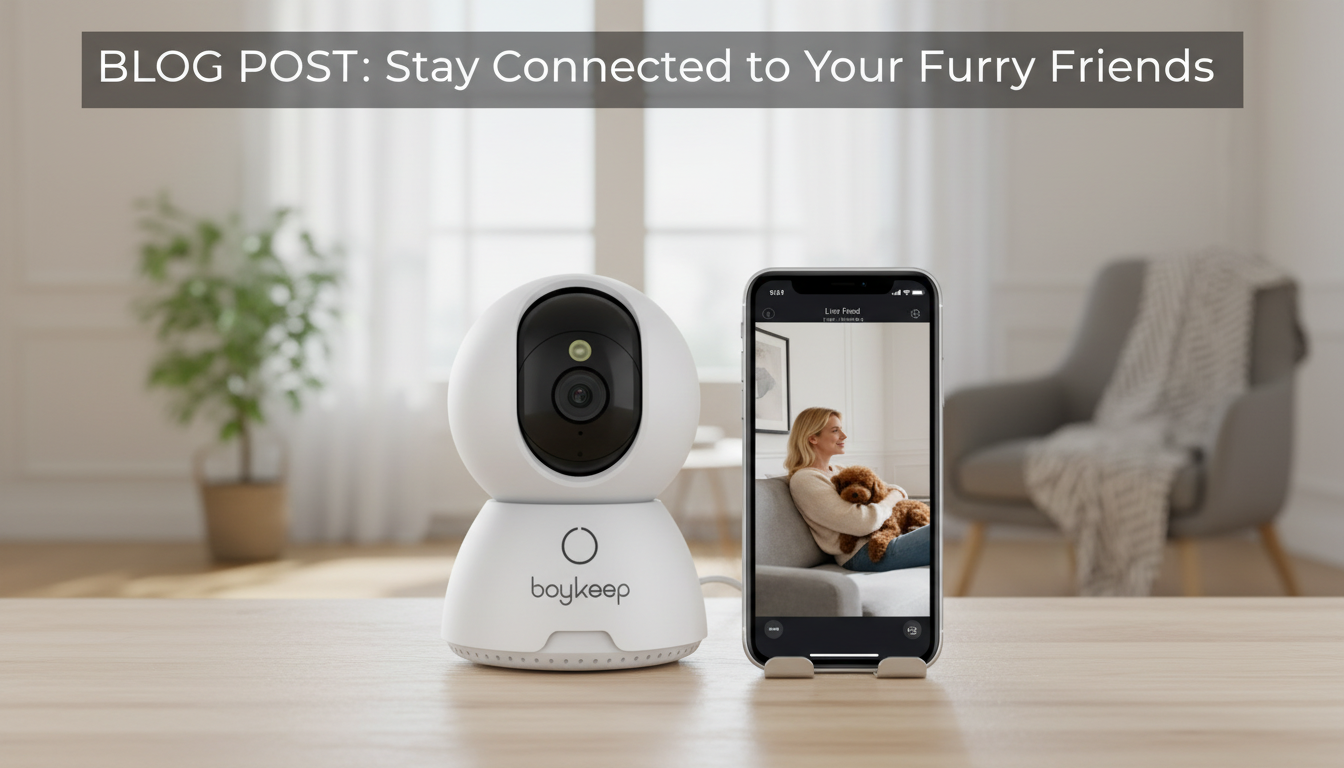
HD Smart Security Camera with Night Vision & Two-Way Talk: What to Look For and How to Use It Well
A compact indoor security camera can do more than record video—it can help spot motion after dark, check in on kids or pets, and let someone at home hear a familiar voice through two-way audio. The right setup turns a basic camera into a dependable “eyes and ears” tool without adding unnecessary complexity. Below is a practical guide to choosing an HD smart camera with night vision and talk-back features, placing it for cleaner coverage, and using it in a way that supports both safety and privacy.
What This Camera Helps With Day to Day
- Entryway and living-room monitoring without the complexity of a full alarm system
- After-dark visibility for hallways and common areas using night vision
- Two-way talk for quick check-ins (family, caregivers, deliveries, pet calming)
- Motion alerts to a phone for faster awareness when something changes
- A simple way to verify what happened before taking next steps (call a neighbor, check doors, contact support)
For many homes and apartments, an indoor camera is most valuable as a “confirmation tool.” Instead of guessing whether a noise was the wind or a door, a quick live view can clarify what’s happening and reduce unnecessary worry.
Core Features to Pay Attention To
HD video quality (and stability)
HD video makes it easier to recognize faces, read labels on packages, or understand movement patterns. Just as important is how stable the stream remains on your Wi‑Fi—stuttering video can make an “HD” camera feel less useful at the exact moment you need it.
Night vision you can actually use indoors
Indoor night vision should provide even illumination at typical home distances—think hallway-to-door and room corners. Placement matters: reflective surfaces and windows can reduce clarity.
Two-way talk that’s understandable
Look for talk-back audio that’s loud enough to understand and has minimal delay. Microphone sensitivity matters too; it determines whether replies from across a room come through clearly.
Motion detection you can tune
Adjustable sensitivity helps reduce false alerts from TV flicker, ceiling fans, shadows, or pets. If available, motion zones let you focus on the door area instead of the whole room.
App experience and alert controls
A good app makes live view quick to open and notifications easy to control—mute, schedule “quiet hours,” or set different behavior when you’re home vs. away.
Power and placement realities
Many indoor cameras use continuous power. Plan the cable route early so the camera stays on and the cord isn’t creating a tripping hazard or an easy unplug point.
Placement Tips for Better Coverage and Fewer False Alerts
- Aim at “decision points” like doors, stair landings, and the path between rooms instead of wide blank walls
- Mount at a height that captures faces (typically above head level but angled downward to avoid ceiling glare)
- Avoid pointing directly at windows; night vision can reflect and reduce image quality
- Keep away from HVAC vents, humidifiers, and kitchens where steam can create haze or trigger motion
- If pets are present, reduce sensitivity or angle upward so the floor area is less prominent
- Check Wi‑Fi strength at the chosen spot; reposition the router or add a mesh node if the stream buffers
A small adjustment—like shifting the camera six inches away from a window frame—can noticeably improve night footage and cut down on “nothing happened” alerts.
Feature Checklist at a Glance
| Feature | Why it matters | What to check during setup |
|---|---|---|
| HD video | Helps identify people and understand events clearly | View live feed on phone; confirm picture remains sharp when moving around the room |
| Night vision | Maintains visibility with lights off | Turn off lights; check for clear outlines at doorways and corners |
| Two-way talk | Lets someone at home hear and respond quickly | Test a short conversation from another room; verify volume and delay |
| Motion alerts | Provides timely awareness when activity occurs | Adjust sensitivity; test walking past the camera and confirm alert timing |
| Privacy controls | Helps reduce unwanted recording and improve trust at home | Look for mute/disable options; set alert schedules and notification quiet hours |
Setup Walkthrough That Improves Reliability
Privacy, Security, and Responsible Use Indoors
For a deeper look at smart-device security expectations, see the NISTIR 8259A IoT Device Cybersecurity Capability Core Baseline. Consumer privacy and security guidance is also covered by the Federal Trade Commission’s Internet of Things resources.
When This Type of Camera Is Enough—and When to Add More
In-Stock Picks
- HD Smart Security Camera with Night Vision & Two-Way Talk — a practical indoor option for live view, after-dark visibility, and talk-back check-ins.
- Cozy Velvet Winter Pajama Set for Boys — a comfortable at-home staple for cooler nights when indoor routines (and quick camera check-ins) matter most.
FAQ
Does night vision work in complete darkness indoors?
Yes—infrared night vision can show a room with the lights off, but clarity depends on distance and reflections. To reduce glare, avoid aiming directly at windows or glossy surfaces and test the view with lights out from the camera’s final spot.
How clear is two-way talk for conversations?
Clarity depends on speaker volume, microphone sensitivity, Wi‑Fi latency, and room noise. A quick test is to speak from a nearby room and then from the farthest likely spot, adjusting placement away from vents or loud appliances if voices sound muffled.
How can motion alerts be reduced when pets are moving around?
Lower motion sensitivity, angle the camera slightly upward so the floor takes up less of the frame, and set activity zones around doors rather than open room areas. If available, use schedules so alerts are quieter during playtime while still recording when you need a history.














Leave a comment