AI Communication Tools for Work: Write, Message, Lead

AI Tools That Lift Your Communication Game: Practical Ways to Write, Message, and Lead Better at Work
Clear communication is a career accelerator, but modern work adds friction: fast-moving chats, high-stakes emails, cross-cultural teams, and constant context switching. AI can help—when it’s used as a coach, editor, and thinking partner rather than an autopilot. This guide breaks down the most useful categories of AI communication tools, how to apply them to workplace messaging and writing, and simple routines that build long-term professional growth without sacrificing authenticity.
What “better communication” looks like at work
Better communication isn’t about sounding fancy. It’s about making it easy for other people to understand, decide, and act.
- Clarity: the reader understands the ask, the deadline, and the context on the first pass.
- Tone: direct without being harsh; warm without being vague.
- Structure: key points up top, details below, and explicit next steps.
- Efficiency: fewer back-and-forth messages, fewer meetings, faster decisions.
- Credibility: consistent terminology, accurate claims, and fewer avoidable mistakes.
Where AI helps most: common communication pain points
- Turning rough thoughts into a readable first draft (emails, updates, proposals, memos).
- Making messages skimmable with headings, bullets, and decision-ready summaries.
- Adjusting tone for different audiences (executives, peers, clients, direct reports).
- Reducing ambiguity by rewriting asks into measurable requests with constraints.
- Preparing for difficult conversations with scripts, agendas, and de-escalation language.
Used well, AI reduces “communication debt”—the hidden cost of unclear messages that multiplies across teams and time zones.
Tool categories and what to use them for
Think of AI communication tools as a small toolkit with different strengths. One tool makes a draft; another polishes it; another turns a meeting into a follow-up that actually gets results.
AI communication tool map
| Tool category | Best for | Example outputs to request | Common pitfall to avoid |
|---|---|---|---|
| Writing assistant | Polishing and tone control | “Rewrite this to be concise and neutral; keep the key facts.” | Over-sanitizing voice until it sounds generic |
| Chat-based drafting | First drafts and alternatives | “Give 3 versions: direct, friendly, executive-brief.” | Letting it invent details you didn’t provide |
| Meeting notes AI | Follow-ups and accountability | “Summarize decisions, owners, deadlines; draft follow-up email.” | Missing sensitive context; verify before sending |
| Translation/simplification | Global teams and clarity | “Rewrite in plain language at an 8th-grade reading level.” | Losing domain-specific precision |
| Coaching/roleplay | Conflict and feedback prep | “Simulate objections; suggest responses that acknowledge concerns.” | Using scripts that feel robotic in real conversations |
For responsible use, it helps to align with established guidance on safety and governance, such as the NIST AI Risk Management Framework and the OECD AI Principles.
Practical workflows for everyday workplace messaging
The 60-second Slack/Teams upgrade
Paste your draft and ask for a clearer ask, a deadline, and a single next step. Then re-add any context that matters (what changed, why it matters, and what “done” looks like).
Status updates that get read
Use a three-line format that forces focus:
- Progress: one sentence on what moved.
- Risks: one sentence on what could block.
- Next: one sentence on what happens next and who owns it.
Escalations without drama
Have AI rewrite your escalation to focus on impact, timeline, and options. A simple test: if a sentence sounds like blame, convert it into observable facts and a decision request.
Manager-ready updates
Convert a long message into a five-bullet executive brief plus a “decision needed” line. If the decision is not needed, replace it with “FYI” and the single most important implication.
Customer-facing replies
Request empathy-first phrasing, then re-check policy and promises for accuracy. AI can improve phrasing, but you own commitments, timelines, and refunds.
Writing stronger emails, docs, and feedback with AI support
Email pattern that reduces back-and-forth
Document pattern for alignment
Feedback pattern that stays professional
A revision loop that keeps your voice intact
Quality checks before you hit send
Boundaries: accuracy, privacy, and staying authentic
Trends in digital work continue to amplify the value of concise, high-signal communication; the Microsoft Work Trend Index offers useful context on how work is shifting and why clarity matters.
A simple 2-week practice plan for noticeable improvement
A guided option for building the habit
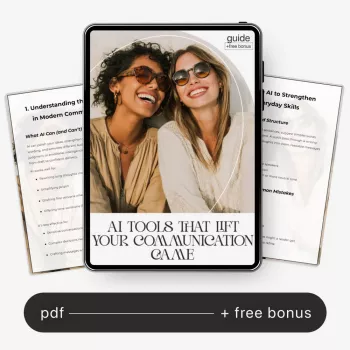
If you want a ready-to-use system (templates, examples, and repeatable routines), a dedicated guide can help standardize how you write emails, workplace chats, and feedback conversations. Consider starting with AI Tools That Lift Your Communication Game for practical formats you can reuse across roles and projects.
For teams that also create visual assets for internal decks or customer updates, AI Image Prompts for Stunning Visuals can complement your communication workflow by speeding up on-brand creative iterations. And if you’re focused on leadership growth beyond writing, You Become Who You Surround Yourself With pairs well with communication practice by reinforcing the social habits that shape consistency and confidence.
FAQ
How can AI improve communication skills without making writing sound robotic?
Use AI for structure, clarity, and tone options, then keep your own wording for the key lines that carry intent. Maintain a simple style guide (greetings, sign-offs, directness), and ask the tool to explain its edits so you learn what to do naturally next time.
What should never be shared with AI tools at work?
Don’t share company confidential data, customer PII, credentials, internal financials, unreleased product plans, or legal/HR-sensitive content unless the tool is explicitly approved and configured for that data. When in doubt, redact specifics and keep the request about structure and phrasing.
Which is better for workplace communication: a writing assistant or a chat-based AI tool?
Writing assistants are best for polishing, consistency, and controlled tone, while chat-based tools are best for fast first drafts, alternatives, and role-based rewrites. Many professionals draft in a chat tool and finalize with a writing assistant before sending.














Leave a comment